 Marumori
MaruMori Knowledge Base
Learn how to use MaruMori and study Japanese effectively
How to add additional accepted answers (personal synonyms) for SRS reviews
Introducing... Personal synonyms!
We've all had an item or two that wouldn't accept our answer, even though it's practically the same as all the other accepted answers. So, to save us all some time and sanity, you can simply add a personal synonym ! Let me show you how:
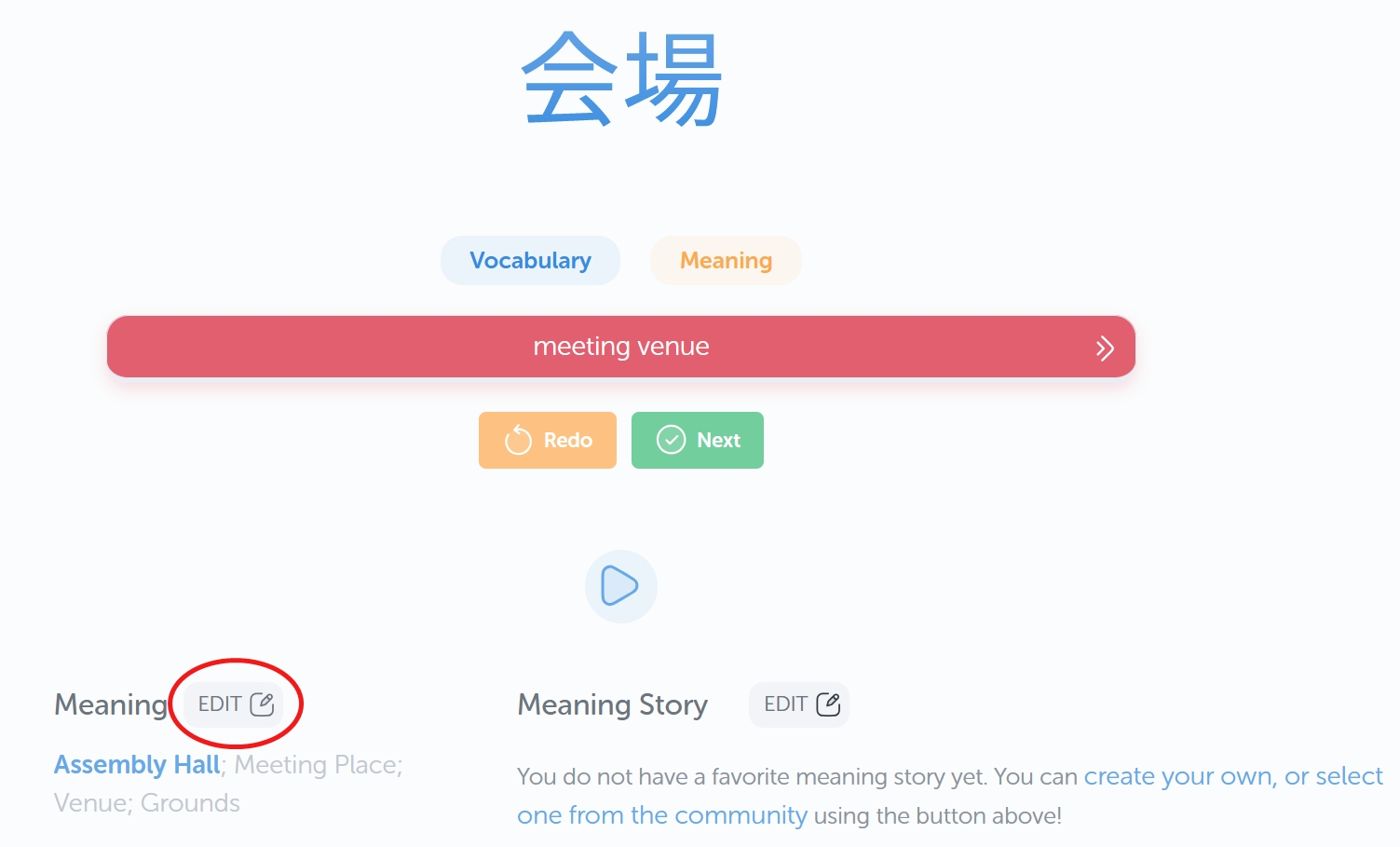
After incorrectly answering a review item, scroll down and look for the "Edit" button next to "Meaning" towards the lower left.
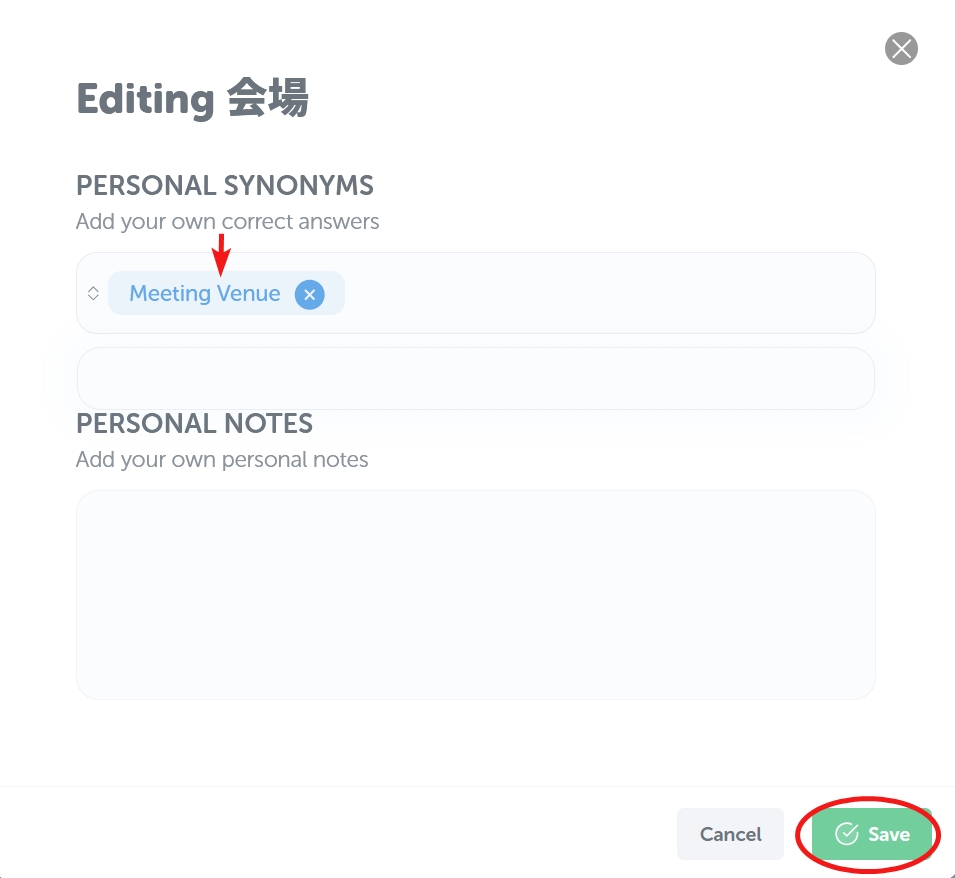
This will open a menu where you can enter your personal synonyms and notes. To add a personal synonym, simply type in an answer that you think should be acceptable, then press Enter. This will turn your word/phrase blue.
You can put in as many personal synonyms as you'd like, but of course, try not to take advantage of this! Haha. (Please.)
Once you're set, click save on the bottom right of the window.
Soon after, you will see a little pop-up on the upper-right confirming that your personal synonyms and notes were saved.

And finally, feel free to click "redo" on that review item and answer it correctly with your shiny, new personal synonym! Yay!
Of course, if you wish to add a personal synonym or some notes outside of a review session, simply go to your item's page (via search bar or study list), click on the three dots on the upper right, and go to "Personal Notes".
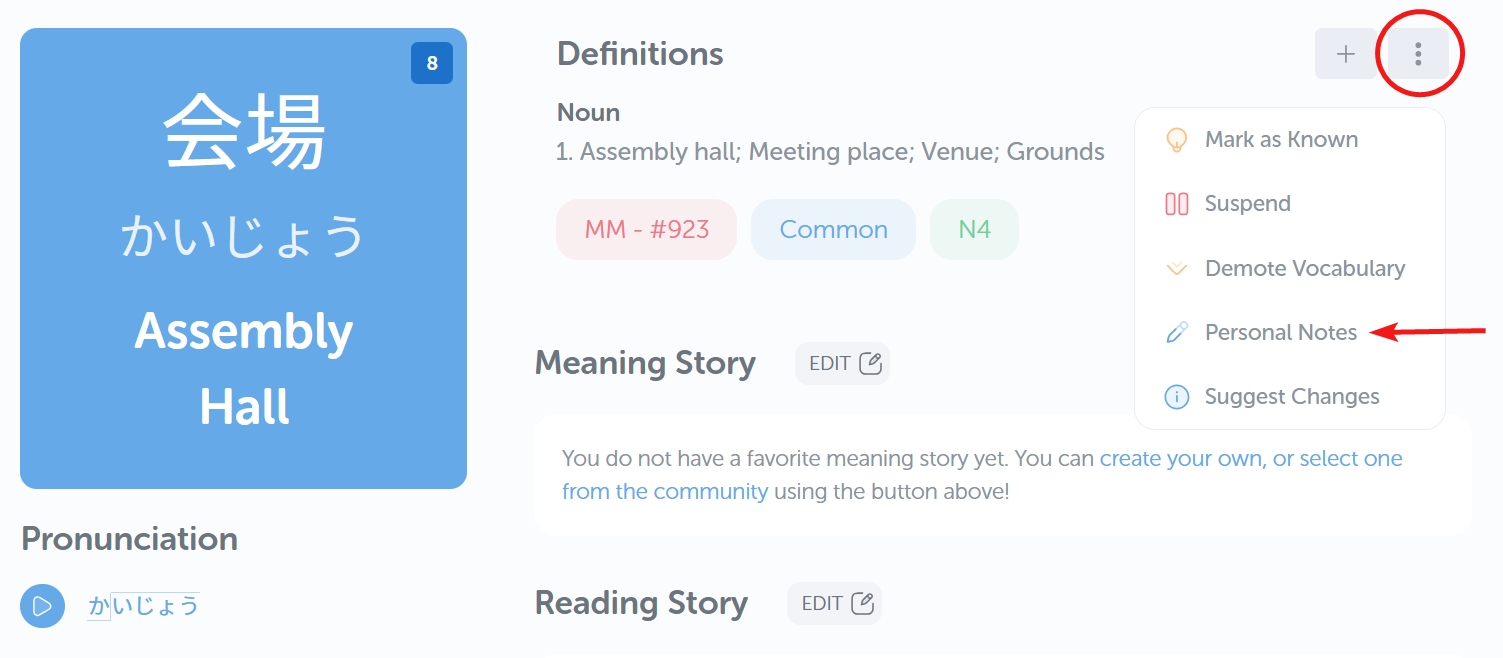
From then on, the process will be exactly the same as when you're in a review session. Woo!
And don't worry, using personal synonyms is totally and absolutely not cheating... maybe.
Well, depends on who you ask, but as long as it helps you accurately and efficiently learn an item, who can judge, right?
Happy studies!